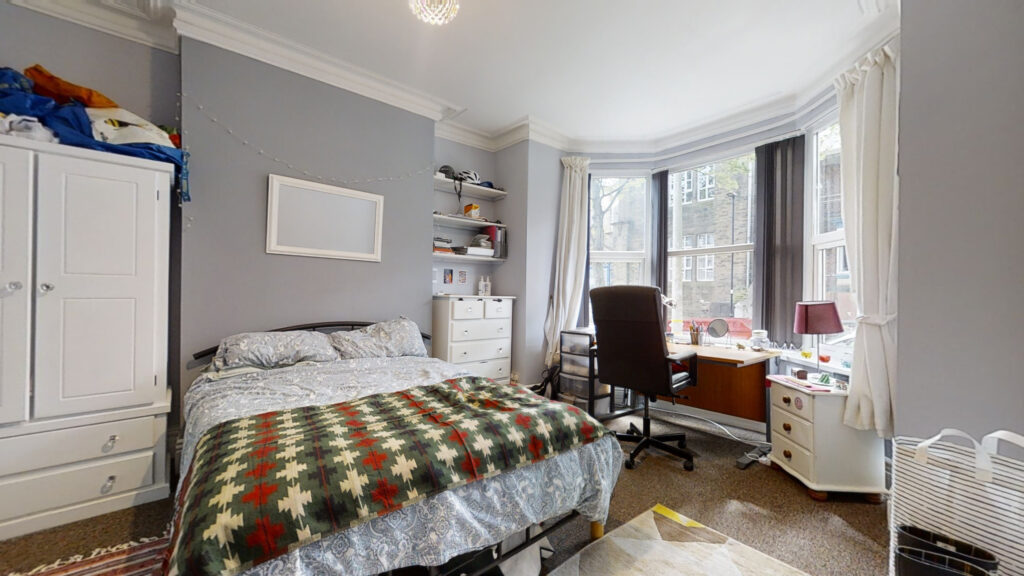
3D tours provide amazing spatial data for the property market giving precise measurements, clear floor plans, and comprehensive visual records. For property managers handling short-term rentals on Vrbo, including a Matterport 3D Showcase directly increases booking conversions. But technical roadblocks exist when distributing this data across certain global platforms.
The direct export integration between Matterport and Vrbo is geographically restricted. Property professionals in the UK must use a different deployment strategy to get their 3D models in front of prospective guests. This guide provides the exact technical workflow required to host your model correctly and place it effectively within a UK Vrbo listing.
Understanding the Vrbo Technical Limitation
Software integrations between major platforms change frequently. Matterport offers a native add-on that pushes a 360 tour directly to a Vrbo listing. You access this through the Matterport Cloud dashboard. But this specific API connection currently operates under strict regional limitations.
The Geography Block on Direct Exports
The automated VRBO card in the Matterport Add-Ons tab only functions for property listings based in the United States. If you attempt to process a tour for a UK-based URL, the system will fail to publish the 360 imagery to the platform.
And this limitation applies regardless of your Matterport subscription tier or the type of camera you used for the capture. It is a strict geographic block imposed by the platform integration rules. You must abandon the direct export method for any property located outside the US.
Why the Link Workaround Succeeds
You solve this problem by bypassing the API completely. Vrbo property descriptions accept external URLs. Instead of trying to push the imagery into Vrbo’s native media player, you direct the platform’s traffic outward to your fully hosted Matterport model.
This method is highly efficient. It requires zero software integration. It also ensures the user experiences the full Matterport 3D Showcase, including the Dollhouse View and your custom Mattertags. The native Vrbo integration only displays standard 360 panoramas. The link workaround actually delivers a far superior, fully immersive technical experience to the end user.
Generating Your Matterport Hosted URL
You must prepare your Matterport space correctly before you share it. A closed or private model will return an error message to anyone who clicks the link. You configure the sharing settings within your Matterport Cloud account to ensure uninterrupted public access.
Setting the Space to Public
You log in to your Matterport Cloud dashboard at my.matterport.com. You navigate to the specific space you want to share. You open the sharing settings for that model.
You must change the privacy status from Private to either Public or Unlisted. An Unlisted space allows anyone with the exact link to view the model, but it hides the space from public search engines. A Public space allows search engine indexing. For a Vrbo listing, the Unlisted setting provides the perfect balance of accessibility and privacy. You select Unlisted and save the configuration.
Extracting the Unbranded Link
Platforms like Vrbo enforce strict rules regarding external marketing. You cannot use a link that drives traffic to your own direct booking website or displays heavy company branding. You must provide a clean, unbranded experience.
Matterport generates multiple URL versions for every space. You access these via the Share button on the model dashboard. You select the Unbranded Link option. This specific URL strips away the creator profile, contact details, and external website links. You copy this unbranded URL to your clipboard. This is the exact digital asset you need for the Vrbo platform.
Placing the Tour in Your Vrbo Listing
You integrate the unbranded link into your operational workflow. You place it where it achieves maximum visibility without violating platform policies. The goal is to intercept the guest during their research phase and provide them with immediate spatial data.
Optimising the Property Description
You open your Vrbo host dashboard and navigate to the property editor. You access the main property description text box. You paste the unbranded Matterport URL directly into the text.
But you do not bury the link at the bottom of the page. You place it in the second or third sentence of your introduction. You use a clear, authoritative call to action. You write “Explore the exact floor plan and layout in our 3D virtual tour: [Insert Link].” This placement guarantees the highest possible click-through rate from potential guests reviewing the technical specifications of the property.
Structuring Automated Guest Communications
You integrate the link into your communication infrastructure. Property managers receive constant inquiries regarding room dimensions, accessibility, and layout configurations. You use the 3D model to answer these questions instantly.
You configure your automated messaging system to include the unbranded link. When a guest submits an inquiry, the system replies immediately with the link and instructions on how to use the Dollhouse View to understand the floor plan. This technical efficiency reduces your administrative workload and provides the user with superior data instantly.
Measuring the Data and Return on Investment
You deploy this technology to solve specific business problems. You must track its effectiveness to justify the investment in the Matterport capture process. The Matterport platform provides the analytics you need to verify the return on investment.
Tracking Model Views and Engagement
You access the analytics dashboard within your Matterport Cloud account. You review the total impressions, unique visitors, and total engagement time for the specific model you linked to Vrbo.
A high volume of unique visitors confirms that your link placement in the Vrbo description is highly visible and effective. High engagement times confirm that users are actively navigating the spatial data and exploring the floor plan. You use this data to prove the value of the virtual tour to your property owners and stakeholders.
Reducing Costly Wasted Viewings
The ultimate metric for success is operational efficiency. A well-deployed virtual tour drastically reduces unnecessary physical site visits. Prospective guests confirm the suitability of the space digitally.
You monitor the ratio of inquiries to confirmed bookings. You will see a clear reduction in the number of questions regarding the physical layout. And you will see a higher conversion rate from the inquiries you do receive. The 3D model acts as a highly efficient technical filter, ensuring you only spend operational time on highly qualified leads.

0 Comments Leave a comment